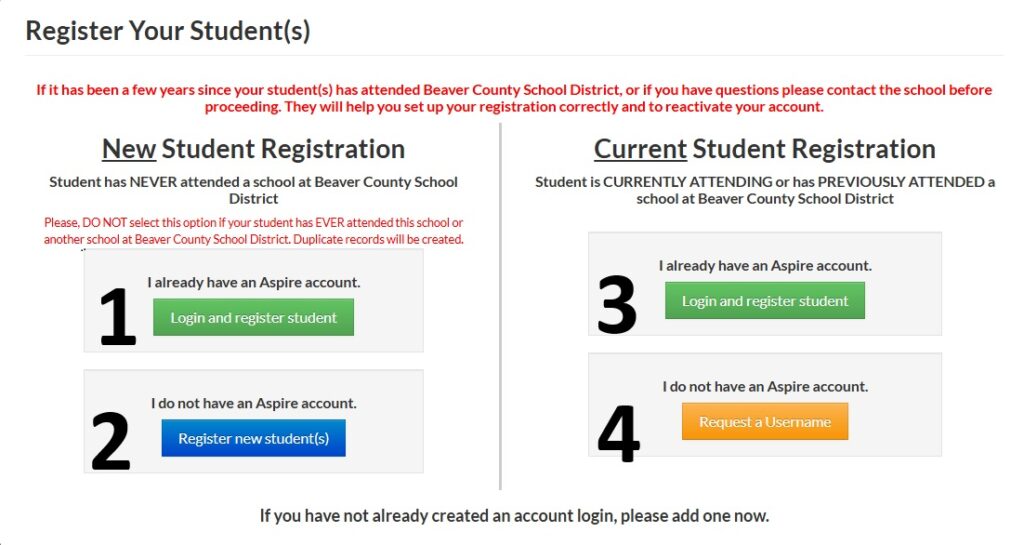
Click on the Image below to begin registration, you will know which button to select based on these statements:
Pick #1- If you already have an SIS/Aspire account because you have other students from your household that have been enrolled in Beaver County School District, and your student was not enrolled this year or last year in BCSD Pre-school.
Pick #2- If you do not have an SIS/Aspire account because you have never had other students from your household enrolled in Beaver County School District, and your student was not enrolled this year or last year in BCSD Pre-school.
Pick #3- If you already have an SIS/Aspire account because you have other students from your household that have been enrolled in Beaver County School District, and your student was previously enrolled in BCSD Pre-school or Kindergarten.
Pick #4- If you do not have an SIS/Aspire account and need to create one.
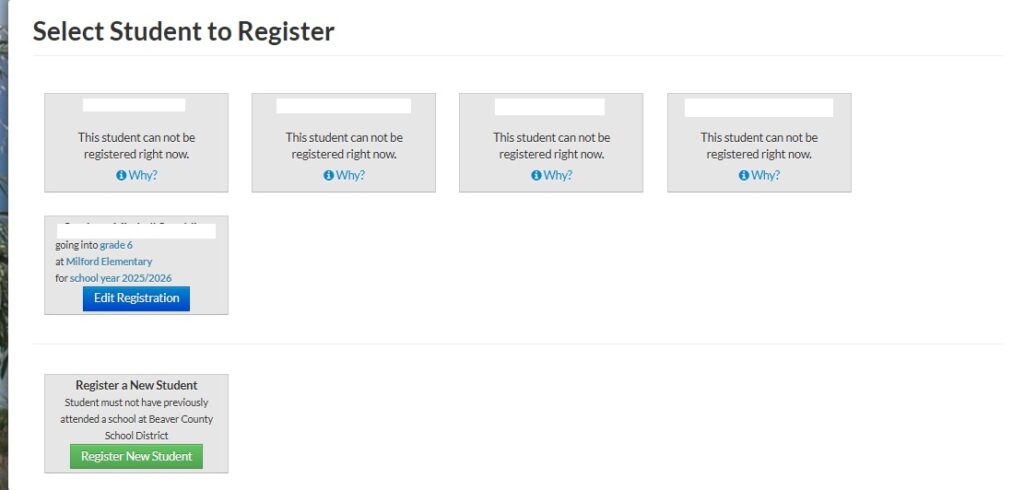
If you Selected Options 1 or 3 you will see this image
You will see other students in the system that are not eligible to register for Kindergarten registration, or you will see your student(s) that are eligible listed with a blue Edit Registration Button. You can click that button, or if your student is not listed click the green button at the bottom that says Register New Student.
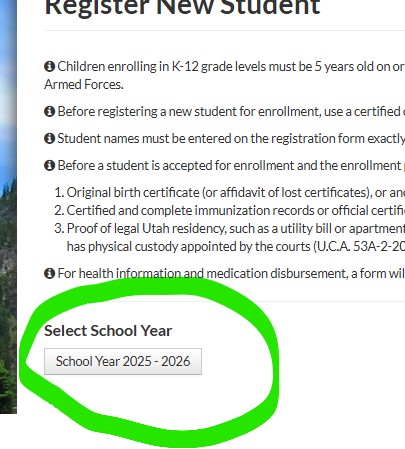
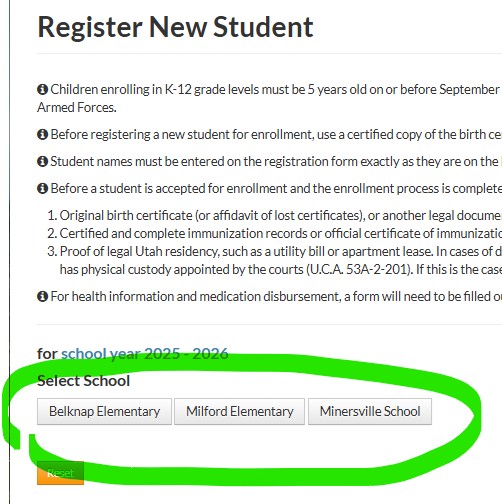
If you Selected Options 2 or 4 You will see these images
Once you have created your parent SIS/Aspire account you will see a button to select the school year you are registering the student for, followed by a button for the school you wish to register your student for.